Wednesday, May 16, 2012

Basic GIMP Tutorial

A basic GIMP tutorial
I've had a lot of questions about how to use GIMP and especially how to get started in GIMP. This link goes to a video I made for kids to watch and learn some basic GIMP commands. It shows a scanned line art image and teaches the learner how to make it transparent and then how to color it in using a few different techniques. There are many other GIMP tutorials on YouTube. Kids--get your parent's permission before you search and watch tutorials!

Elementary Presentation: Make a Mark!

The Plover from A Monster in My Sock
Speaking at an elementary is always a blast. It's great to get to interact with the kids and answer all kinds of questions; everything from "Why do you wear a green belt?" to "What inspires you?" The most-asked question today was, "Where do I get THAT?!" They were referring to GIMP.

Sketch colored in GIMP
I was able to work in time to show them how I use the program GIMP (Gnu Image Manipulation Program) to create and manipulate images. Since it is a free program, it is what I could afford and what I used to create both of my children's books. It is overwhelming at first, but there are tutorials online and an online user's guide.  And it's not just for adults--three kids came up to me to talk about what they have done in GIMP. You can create images directly into GIMP, or you can scan in images and color them. You can also manipulate photos. It's a powerful tool that I am STILL learning more about each time I use it!

I'm hoping that I inspired some kids to get out there, keep a sketchbook, and make their mark. Go here to get your copy of GIMP, access help files and even some tutorials!


Wednesday, March 28, 2012

Self Portrait

I did this on my phone this morning. I like the lips! I used Sketchbook Mobile, the free version.

Tuesday, March 27, 2012

3 x 5 Index Cards

One of my favorite things to sketch on are 3x5 index cards. There's something about the limited space, the "carefree" surface, the spontaneity... This one was done while waiting in a lobby. I then took a picture of my sketch and colored it on my iPhone using several different apps.

Wednesday, March 21, 2012

Scanned Texture

Colored in Gimp
Ah, to be a teenage artist! So much potential! I added an actual sweater texture here. I like it. I'd like to experiment with more scanned textures like this.

Tuesday, March 20, 2012

Coloring a Sketch

Colored in Gimp
This sketch was done back in 2000 when my oldest was 3. I scanned it and decided to color it. I wanted the details of the sketch and wanted a more natural looking painting--especially watercolor--underneath. I tried in vain to open a transparent image of it into Corel Painter Essentials 4. I had to revert to Gimp. It doesn't look painterly, but the textures are interesting. Overall, I'm pleased with the coloring, though I could've gone darker with the greens.  Next I'll try to watercolor OVER it in Painter, then import it into gimp to go underneath the transparent layer of the sketch. That just MIGHT work.

Friday, March 16, 2012

Bamboo Tablet

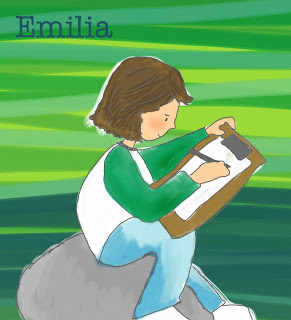
My daughter loves to draw!
This is my first attempt at using Corel Painter Essentials 4 with my Wacom Bamboo tablet. I normally sketch, ink, and scan an image and then color it using GIMP with my mouse. It is tedious. The tablet I got came with Painter Essentials 4, and I have heard that it looks like more traditional art. I am frustrated because I'm  having to learn to use a new program and I can't seem to be as precise as I want to be. I'm also frustrated that I cannot save "png" files. It is essential for me to be able to color characters separately and then move them around in an image. There may be some way to do this, but I'm not seeing it. I wish I could take a class on this; then maybe it'd make more sense! But I think I just need to keep saving for Photoshop.